Profile
Manage your account settings and security
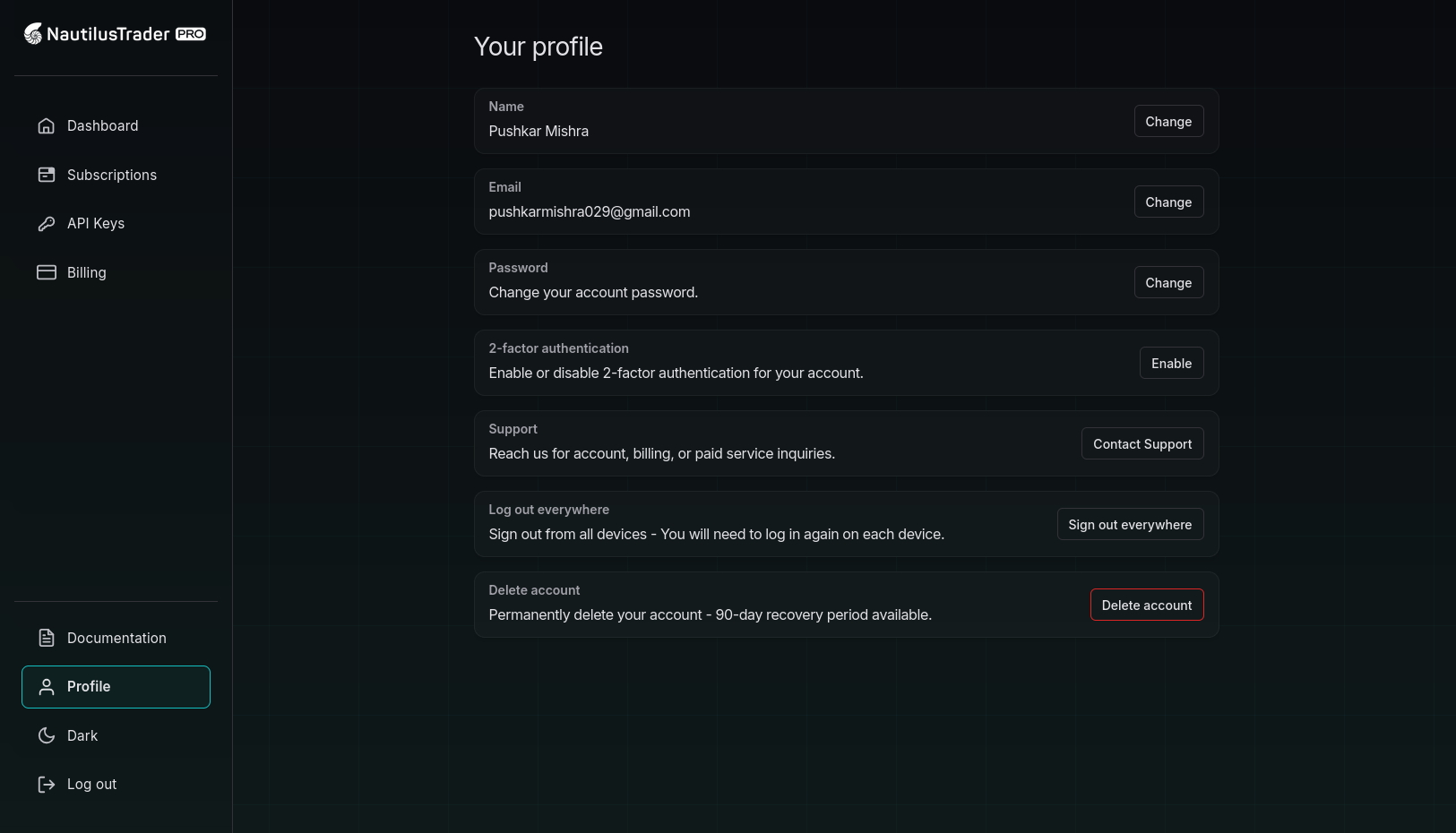
Overview
Manage your personal information, security settings, and account preferences.
Personal information
Name
- Click Change next to your current name
- Enter your new name
- Click Update
For verified emails:
- Click Change next to your current email
- Enter your new email address
- Enter your current password
- Click Update Email
- Verify the new email via the confirmation link
For unverified emails:
- Click Verify to resend verification email
- Check your inbox and click the verification link
Password
- Click Change in the Password section
- Enter your current password
- Enter a new password (minimum 8 characters)
- Confirm your new password
- Click Update Password
Two-factor authentication
Enable 2FA
- Click Enable in the 2-factor authentication section
- Scan the QR code with your authenticator app (Google Authenticator, Authy, etc.)
- Enter the 6-digit code from your app
- Click Verify and Enable 2FA
- Save the backup codes displayed (you'll receive 10 codes)
Disable 2FA
- Click Disable when 2FA is enabled
- Confirm the action in the browser dialog
Backup codes
Enabling 2FA automatically generates backup codes. Each code can only be used once.
Regenerate Backup Codes (only available when 2FA is enabled)
- Click Refresh backup codes link
- Confirm regeneration in the dialog
- Enter your current password
- Click Generate Backup Codes
- Save the new codes securely
Important: Regenerating creates new codes and invalidates all previous ones.
Session management
Log out everywhere
End all active sessions across all devices:
- Click Log out in the "Log out everywhere" section
- Confirm in the browser dialog
- You'll need to sign in again on all devices
Support
Contact support for account, billing, or service inquiries:
- Click Email us to contact support
Account deletion
Warning: Account deletion includes a 90-day recovery period.
- Click Delete in the "Delete account" section
- Review the warning message
- Enter your password
- Confirm by checking the acknowledgment box
- Click Delete Account
Recovery: You can recover your account within 90 days using the recovery link sent to your email.
Security notes
- Password Requirements: Minimum 8 characters, recommended to include uppercase, lowercase, numbers, and symbols
- 2FA Apps: Compatible with any TOTP authenticator app
- Backup Codes: Store in a secure location offline; each is single-use only
- Email Changes: Require password confirmation for security